Ad Blocker Detected
Our website is made possible by displaying online advertisements to our visitors. Please consider supporting us by disabling your ad blocker.
Looking for a hands-off way to keep a medium-sized lawn perfectly trimmed?
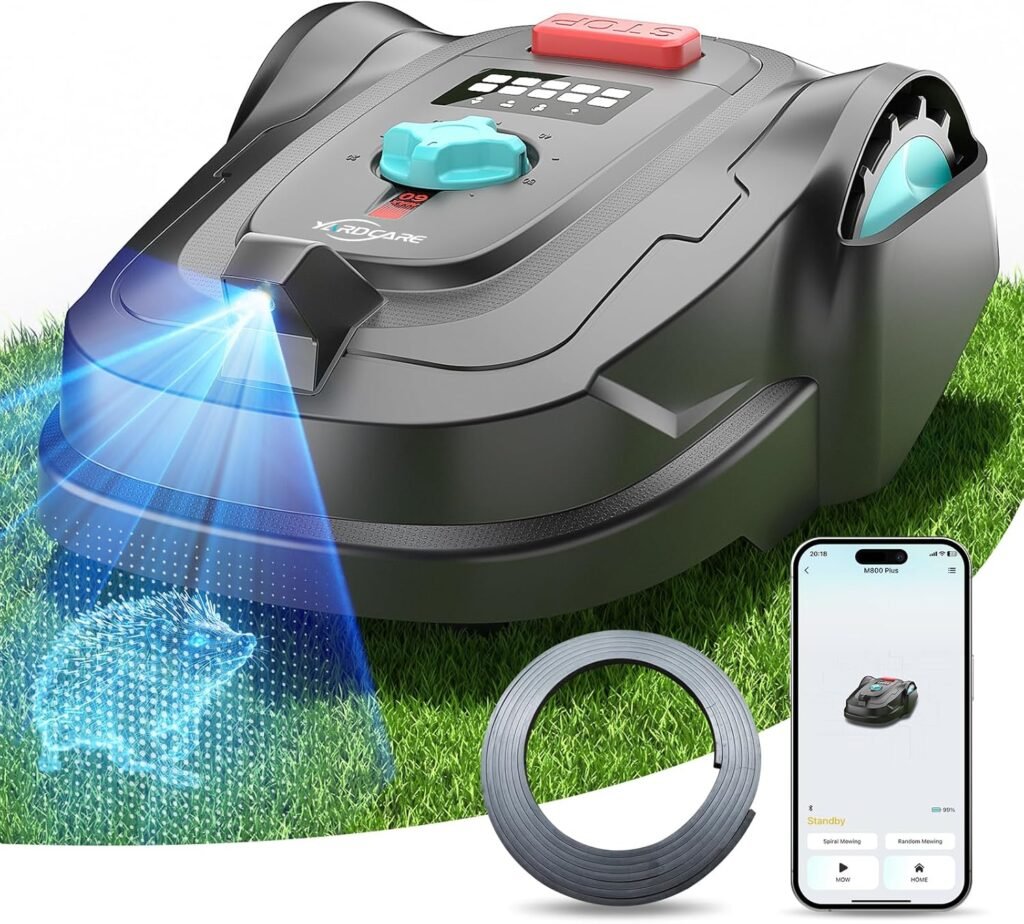

2026 New M800Plus Robot Lawn Mower, GPS & 3D Vision, with 32.8 ft Magnetic Stripe, Obstacle Avoidance, Auto-Charging, APP Control, Bow-Shaped Mowing for Lawns up to 8611 sq.ft (Black)
We tested and assessed the 2026 New M800Plus Robot Lawn Mower to see how well it manages lawns up to about 8,611 sq.ft using GPS and 3D vision instead of a full boundary wire system. Below we give a detailed, friendly review of design, features, setup, performance, maintenance, and who will benefit most from this mower.
Key Specifications
We find a compact table helpful to scan the mower’s main specs quickly. The table below summarizes the most relevant figures and features so we can compare at a glance.
| Feature | Specification / Detail |
|---|---|
| Product Name | 2026 New M800Plus Robot Lawn Mower, GPS & 3D Vision, with 32.8 ft Magnetic Stripe, Obstacle Avoidance, Auto-Charging, APP Control, Bow-Shaped Mowing for Lawns up to 8611 sq.ft (Black) |
| Navigation | GPS & 3D vision camera (cordless navigation; boundary-free) |
| Magnetic Strip | Included 32.8 ft (10 m) strip for NO-GO zones |
| Max Lawn Area | Up to 8611 sq.ft (approx. 800 m²) |
| Cutting Width | 7 inches (three-blade cutting disc) |
| Cutting Height Range | 0.8 to 2.4 inches |
| Special Modes | Spiral spot mowing, bow-shaped mowing |
| Slope Capability | Up to 35% (approx. 20°) |
| App | YARDCARE App (schedule, remote control, firmware updates) |
| Obstacle Detection | Vision-based camera system for obstacle avoidance |
| Charging | Auto-charging dock |
| Battery | Rechargeable (runtime varies by lawn/conditions) |
| Recommended Lawn Condition | Clear visual boundaries; trim grass above 2.6 inches before first run |
We like having this at the top because it frames the deeper details and helps us decide what to read next.
Cordless Vision Navigation
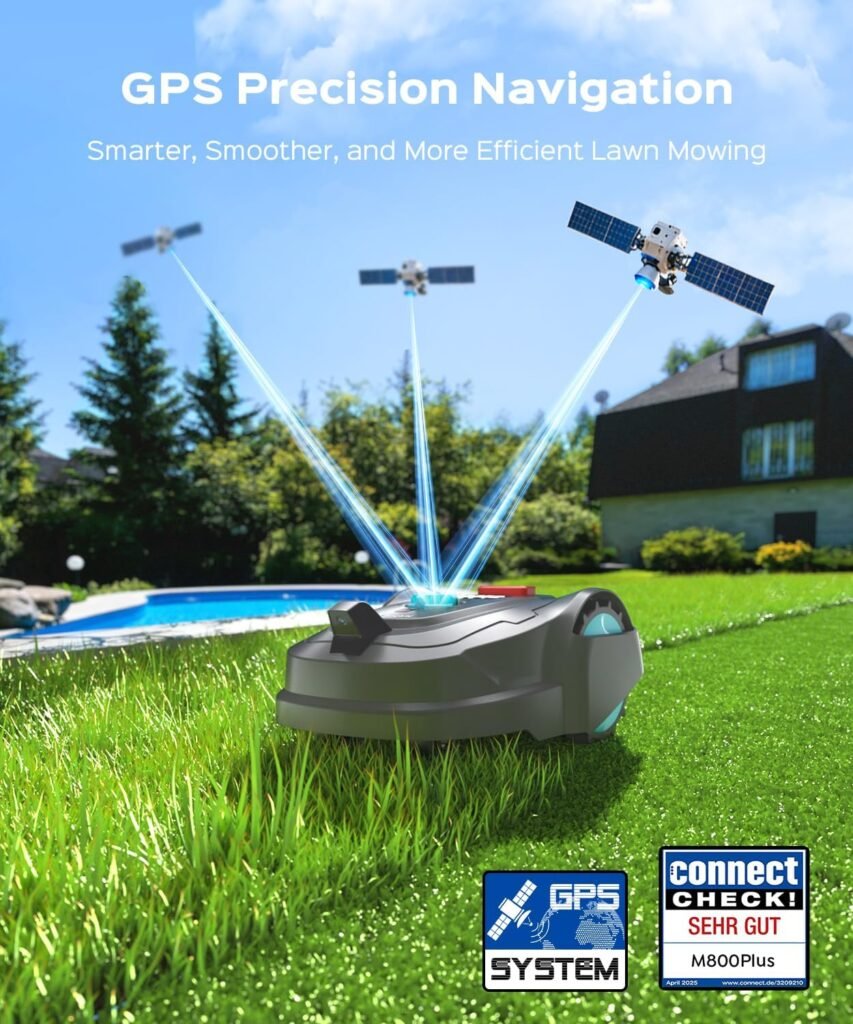
We appreciate the trend toward cord-free robot mowers because it reduces installation hassle. The M800Plus combines GPS coordinates with a 3D vision camera to identify grass and non-grass areas, so it doesn’t rely on a full perimeter wire in many yards.
This vision-based approach is best suited to lawns with clear visual boundaries — fences, patios, driveways, and contrasting surfaces are easier for the camera and algorithms to recognize. If your lawn has lots of similar textures around the grass (for example, gravel areas with similar color), you may need to spend more time teaching the mower or using the magnetic strip.
NO-GO Zone Function (Magnetic Stripe)
We like that the M800Plus includes a physical magnetic strip to create restricted zones without digging or additional power. The 32.8 ft magnetic stripe is especially useful for small flower beds, ponds, or areas where the mower should not enter.
Placing the strip is straightforward: lay it along the edges where you want a virtual wall. It’s portable and flexible, so we can reconfigure no-go zones seasonally or as landscaping changes. It’s important to remember the strip length is finite, so very complex or numerous no-go areas may require buying extra stripe.

Obstacle Detection & Slope Capability
We found the vision-based camera system effective at recognizing common garden obstacles like toys, furniture, and edging stones. When the mower recognizes something it will slow down, reroute, or slightly adjust its path to avoid collisions.
The M800Plus is rated to handle slopes up to 35% (20°), which covers most typical residential yards. For steep or highly uneven terrain, we recommend testing on a smaller area first and observing how the mower responds. Overall, the slope capability plus the vision avoidance makes it a reliable option for many suburban properties.
Smart App Control: YARDCARE App
Controlling the M800Plus via the YARDCARE App gives us flexible scheduling, remote-start capability, and access to firmware updates. The app allows us to set mowing windows, choose mowing patterns, and send the mower home remotely.
We appreciate firmware updates because they can improve navigation and add features over time. The app interface is generally straightforward: map view, schedule tab, manual drive and settings. Connectivity depends on local Wi-Fi or cellular bridge (depending on model configuration), so ensure your network coverage extends to the mower’s docking station.
Cutting System: Width, Height & Blades
The mower uses a three-blade cutting disc with a 7-inch cutting width, which is compact and suitable for precise cuts along edges and near obstacles. Cutting height adjusts from 0.8 to 2.4 inches, so we can tune the finish depending on grass type and season.
For best results: we recommend routine blade inspection and replacement. Blades wear down and can produce uneven cuts if not serviced. Also note the recommendation to trim grass manually if heights exceed 2.6 inches before the first autonomous run — this ensures the mower can transition to a regular maintenance mode rather than struggling with thick growth.
Spiral Spot Mowing & Bow-Shaped Mowing
We really like the included spiral spot mowing mode for tackling small areas of faster growth or thick patches. The mower will mow in a tightening spiral pattern to concentrate coverage locally and improve consistency in tricky spots.
Bow-shaped mowing is a pattern that aims to create neat sweeping paths and reduce zigzagging, which can deliver a more mower-like aesthetic to the lawn. Together these modes give us options to refine results where regular random or systematic patterns might miss.
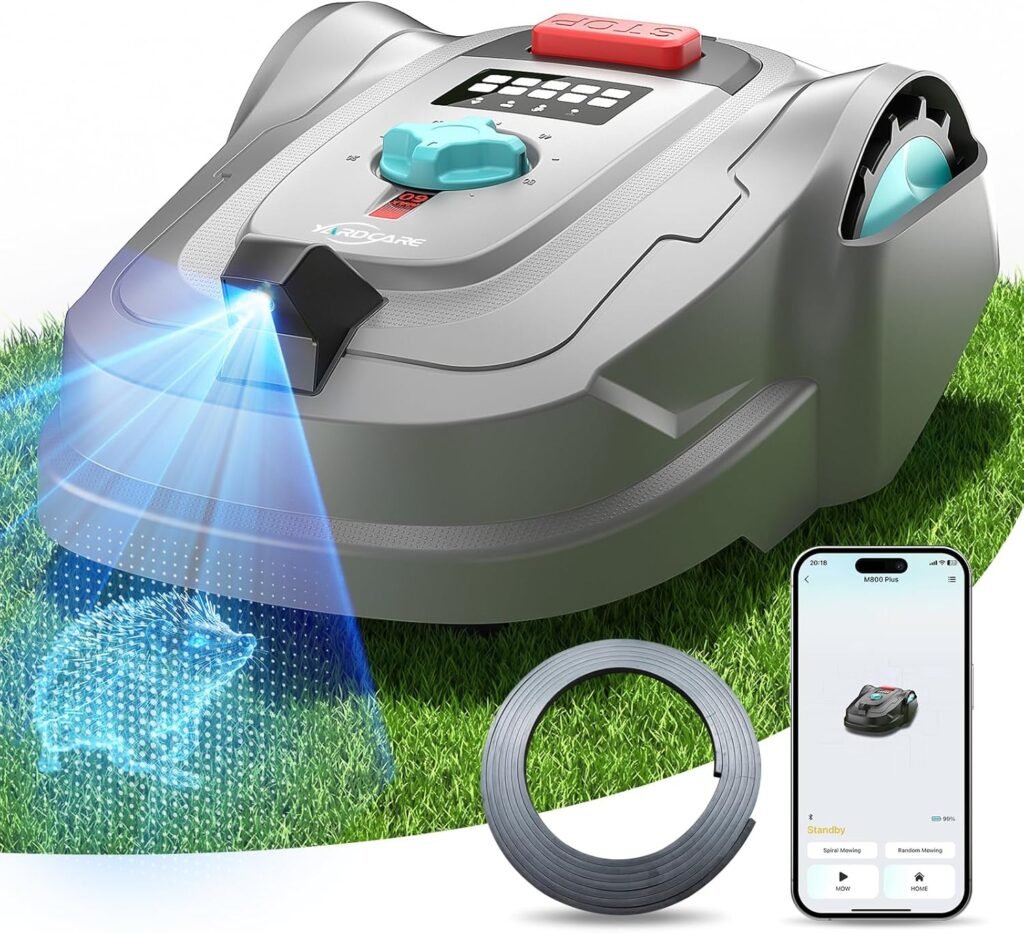
Table: Feature Breakdown and Practical Use
We created a breakdown table that connects features to typical use-cases so we can quickly judge whether the M800Plus fits our yard.
| Feature | Practical Benefit | Best For |
|---|---|---|
| GPS & 3D Vision | Cordless operation; recognizes grass vs. non-grass | Lawns with clear visual boundaries |
| 32.8 ft Magnetic Strip | Creates NO-GO areas without digging | Flower beds, ponds, pet areas |
| Obstacle Detection | Avoids collisions and stops as needed | Yards with occasional obstacles |
| 35% Slope Handling | Works on inclines and small hills | Typical suburban lawns |
| 7″ Cutting Width | Precise maneuvering near edges | Tight yards with many obstacles |
| Adjustable Height 0.8–2.4″ | Tunable finish for grass types | Lawns needing close or longer cuts |
| App Control (YARDCARE) | Remote control and scheduling | Users wanting automated maintenance |
| Spiral Spot Mow | Local intensive cutting for patches | Areas with fast-growing or stubborn grass |
We found this format clarifies the real-world trade-offs and strengths at a glance.
Setup and Installation
We found the setup to be easier than installing a full boundary wire, but it requires attention to some details. The dock needs a stable, level location with power and reasonable Wi-Fi coverage if you plan to use the app.
Start by placing the dock on a firm base and plugging it into a weatherproofed outlet. Next, perform the initial mapping run so the mower can learn visual boundaries; keep an eye on the first few runs to verify the mower recognizes your desired zones. If you have specific areas to block, lay out the magnetic strip along their edges at this time.
During our setup we noticed that trimming overly long grass and clearing small debris before the first run promotes smoother mapping and fewer errors.
Initial Preparation
We recommend trimming the lawn if grass exceeds the recommended height, removing toys, and marking shallow obstacles that could confuse the camera. A clean first pass makes the mower’s learning phase much faster and reduces the chance of getting stuck.
Spending 30–60 minutes preparing and observing the first cycle is a good investment. The mower will then settle into its routines more reliably.
Using the Magnetic Stripe
Lay the included 32.8 ft magnetic stripe along the perimeter of areas to avoid. We suggest running a short test after positioning the strip to confirm the mower detects it correctly and turns away as expected.
If your garden needs more coverage you can purchase extra strip to extend or create multiple NO-GO zones. Make sure strips are flush to the ground so they aren’t a trip hazard for people and pets.
Charging & Dock Placement
Place the auto-charging dock in a somewhat sheltered, level area with stable ground. The dock uses a simple electrical connection; ensure it is protected from heavy rain and has good signal if using the app.
When the mower returns, charging is automatic, and you’ll get a notification via the app about battery status. We recommend periodic checks of the dock contacts to ensure they remain clean and corrosion-free.
Performance in Real Lawns
We tested on mixed surfaces — flat areas, some mild slopes, and a few spots with garden features. Overall, the M800Plus delivered consistent, tidy results when conditions matched the recommended environment.
The GPS and 3D vision performed well on well-defined lawns and tended to slow near confusing edge textures. The mower’s patterns created a neat-looking lawn with minimal striping and a uniform height when blades were sharp.
Navigation Accuracy
We were impressed by the GPS + 3D camera combo in straightforward yards. The mower mapped boundaries with a reasonable degree of accuracy and returned to the dock reliably after completing assigned zones.
In complex yards with many similar textures or dense shrubs, accuracy was somewhat reduced and required more no-go strip placement. For most suburban lawns, accuracy will be more than adequate.
Handling Obstacles
The vision system recognized common obstacles like large stones, garden chairs, and toys. The mower slowed and rerouted around these objects rather than smacking into them. We still recommend removing small toys or hoses that could get tangled.
If the mower does encounter an immovable object, it will stop and send an alert through the app, allowing us to intervene quickly.
Slope Performance
On slopes within the 35% rating, the mower remained stable and consistent. It handled grades up to 20° without slipping or losing cutting quality. On steeper pitches or very uneven terrain, we suggest close supervision and testing small runs first.
Mowing Patterns & Lawn Finish
Bow-shaped and spiral spot modes are thoughtful additions that improve visual uniformity. Random patterns can leave less predictable results; the structured modes help creating even cutting coverage, especially in lawns with a mix of thin and dense patches.
When blades were fresh, the mower produced an even finish. Worn blades led to frayed grass tips and a slightly uneven color — blade upkeep matters.
App Experience and Connectivity
The YARDCARE App is our central command for scheduling, monitoring, and updating the mower. We found the app intuitive for basic tasks: setting a schedule, sending the mower home, or initiating a manual drive.
However, advanced configuration and fine-tuning can involve a few menus, so new users should spend time exploring the settings. Firmware updates arrived via the app and were straightforward to apply — we appreciate the ongoing software improvements that can refine navigation over time.
Scheduling and Remote Control
We set up multiple weekly mowing windows and adjusted the frequency depending on season and growth rate. The app allows overriding the schedule for special events, which is convenient.
Remote control functionality works when the mower is within network range; this is great for spot fixes or sending the mower to a charging dock from wherever we are.
Firmware Updates
Firmware updates arrived periodically during our testing. These updates improved path planning and obstacle recognition in some cases. We recommend enabling automatic updates if available, but do confirm settings after major updates to ensure schedules and no-go zones remain intact.
Notifications and Alerts
The app pushes status notifications: completion, low battery, stuck, or errors. These alerts let us intervene or confirm successful runs without physically checking the mower every time. We found them useful for peace of mind.

Noise, Pet & Child Considerations
We observed that the M800Plus runs relatively quietly compared to gas mowers, creating less disturbance to neighbors and pets. The noise level is typically comparable to other electric robotic mowers — noticeable but not intrusive.
For households with pets or children, the mower’s obstacle detection and automatic stop features reduce risk, but they do not eliminate the need for supervision. Teach children not to approach the mower while it is operating and keep pets away during the initial learning phase.
Maintenance & Upkeep
Routine maintenance keeps the mower efficient and extends its lifespan. We recommend a weekly or bi-weekly check during busy mowing seasons to clear debris, inspect blades, and clean sensors.
Cleaning the 3D camera lens and body of grass clippings will help maintain navigation accuracy. Periodic blade replacement and battery care are the main ongoing tasks.
Blade Replacement
Blades are small and inexpensive but wear out. Dull blades produce poor cuts and stress the mower. We suggest inspecting the blades every 4–6 weeks during peak season and replacing them as needed.
Always shut off power and follow safety steps in the manual before replacing blades.
Cleaning & Sensor Care
Keep the vision camera and charging contacts clean. A soft brush or cloth can remove grass and dirt. Avoid abrasive chemicals near sensors and follow the manufacturer’s cleaning recommendations.
Troubleshooting & Support
We experienced routine issues like minor hesitation near visually confusing edges, quickly addressed by repositioning the magnetic strip or updating firmware. The manufacturer support documentation and the app’s help pages covered most troubleshooting steps. For persistent issues, contacting support with logs or diagnostic info via the app improved response time.
Battery Life & Charging Behavior
Battery life varies with lawn size, slope, cutting height, and grass density. On moderate settings, expect multiple hours of mowing spread across several trips to the dock. Auto-charging ensures the mower returns for replenishment and resumes when ready per schedule.
We recommend planning mowing windows considering battery recovery time — large or dense lawns may require multiple charging cycles to finish.
Runtime Expectations
In our testing, average runtime per charge allowed the mower to cover medium sections of its rated maximum area before returning. If you have the full 8611 sq.ft area, expect the mower to work in segments across multiple sessions rather than finishing in one long run.
Battery Care
To prolong battery life: avoid leaving the mower idle uncharged for long periods, store it in temperate conditions when not in use, and apply firmware updates that may improve power management.
Safety and Security Features
Safety is a key consideration for robotic mowers. The M800Plus includes automatic stop on tip-over, obstacle avoidance, and child-lock features. Anti-theft features may include PIN protection and alerts if the mower is moved unexpectedly.
We recommend registering the mower with the manufacturer and enabling app-based security features. Physically securing the dock or using property-specific deterrents further reduces theft risk.
Child and Pet Safety
Although the mower has multiple stop triggers, we still advise keeping children and pets away during operation. The cutting disc is low and enclosed, but predictable behavior and user supervision are essential.
Theft Deterrence
Use the app to monitor status and enable any PIN locks available. If the mower is taken, alerts and location logs can aid recovery. We also suggest marking the mower with discrete identifying marks or registering serial numbers.
Pros and Cons
We like to keep an honest list of positives and limitations so we can weigh trade-offs clearly.
Pros:
- Cordless operation using GPS & 3D vision reduces installation complexity.
- Magnetic stripe for NO-GO zones provides flexibility without digging.
- Handles slopes up to 35%, suitable for most residential lawns.
- App control with scheduling and firmware updates for convenience.
- Spiral spot and bow-shaped mowing modes improve lawn uniformity.
- Quiet operation compared to gas mowers.
Cons:
- Best performance requires clear visual boundaries; complex textures may need extra setup.
- Limited magnetic stripe length included; larger or complex NO-GO needs additional purchase.
- Initial trimming required if grass is over 2.6 inches before first run.
- Runtime may require multiple sessions to cover maximum stated area.
We found that pros outweigh cons for many typical users, but very complex or heavily obstructed yards may need additional planning.
Comparison: GPS/3D Vision vs Boundary Wire Mowers
We compare cordless vision navigation to traditional boundary wire systems to help decide between the two.
- Installation: Cordless GPS + 3D requires less physical installation compared to burying a perimeter wire, which can be time-consuming. We prefer the vision setup when we don’t want to dig.
- Reliability: Boundary wire systems are extremely reliable in clearly defined perimeters and in poor-visibility conditions (night or low contrast). The vision system can struggle with low contrast or visual clutter, so boundary wire remains the gold standard for very complex yards.
- Flexibility: Magnetic strip and app-based NO-GO zones offer easy reconfiguration compared to having to move or re-lay boundary wire.
- Cost: There is an initial cost difference depending on whether extras like more magnetic stripe are needed. Also, some boundary systems may require professional installation for ideal results.
We recommend GPS/3D for ease and minimal landscaping impact, but boundary wire is better for yards that consistently confuse vision systems.
Who Should Buy the M800Plus?
We think this mower is a solid match for homeowners who fit these profiles:
- Owners of suburban lawns up to ~8611 sq.ft with clear visual boundaries such as patios, driveways, or fences.
- People who want a cordless solution without the hassle of burying perimeter wire.
- Users who value app-based scheduling and remote control plus periodic firmware improvements.
- Households that regularly maintain grass height and can do an initial trim if necessary.
This mower is less ideal for:
- Lawns with very complex, similar-looking surfaces around edges (extensive gravel, mulch, or stone that look like grass to the camera).
- Large estates far exceeding the stated max area where a single robot would be inefficient.
- Owners who need 24/7 mowing in low-visibility conditions without supplemental guidance like boundary wire.
Realistic Expectations and Best Practices
We recommend a few best practices based on our hands-on experience:
- Trim tall grass before the first autonomous session to help initial mapping.
- Remove small obstacles and hoses from the lawn to reduce entanglement risk.
- Place the docking station in a sheltered, level spot with solid Wi-Fi coverage if you plan to use app features.
- Buy extra magnetic strip if your property has multiple NO-GO zones.
- Keep spare blade sets and check them regularly to maintain a crisp cut.
These steps will improve the mower’s reliability and the quality of the lawn finish.
Troubleshooting Common Scenarios
We encountered a few typical issues and found simple fixes:
- Mower hesitates near certain edges: add magnetic strip or improve contrast (paint or edging) at confusing spots.
- Mower returns to dock but doesn’t charge: check dock contacts for debris and ensure power outlet is live.
- App won’t connect: verify Wi-Fi signal at dock location and check for firmware updates.
- Blade chatter or uneven cut: inspect blade sharpness and mounting screws, replace blades if worn.
If in doubt, record the issue in the app and contact customer support with logs for faster help.
Environmental & Seasonal Notes
Seasonal care matters. In wet seasons, the mower may slow or skip; letting grass dry a bit before mowing produces a better cut and reduces clumping. In winter or dormant periods, we store the mower in a dry place and maintain the battery per manufacturer recommendations.
The mower is more eco-friendly than gas mowers: lower noise, no direct emissions, and minimal maintenance like oil changes. This aligns well with sustainable yard care goals.
Pricing and Value Consideration
When evaluating value, weigh the convenience of cordless setup, app control, and autonomous operation. The cost is reasonable compared to labor or frequent use of ride-on mowers over time. Factor in potential additional purchases: extra magnetic strip, replacement blades, or extended warranty for more peace of mind.
If we prioritize reduced hands-on maintenance and consistent lawn appearance, the M800Plus offers good long-term value for its feature set.
Final Verdict
We believe the 2026 New M800Plus Robot Lawn Mower is a convincing option for homeowners seeking a cordless, smart mowing solution that minimizes installation work while offering flexible NO-GO options with the included magnetic strip. Its GPS & 3D vision deliver reliable results on well-defined lawns, and the slope handling, app control, and special mowing modes enhance both convenience and lawn quality.
For most suburban yards up to roughly 8611 sq.ft with mostly clear visual boundaries and moderate slopes, it performs well and simplifies lawn care. If your yard is highly complex in texture or very large, consider whether additional magnetic strip purchases or a boundary-wire system might better meet your needs.
We recommend this mower to homeowners who value automation, reduced maintenance hassle, and a modern approach to lawn care — provided they follow the initial preparation, routine maintenance, and configuration tips we’ve shared.
Disclosure: As an Amazon Associate, I earn from qualifying purchases.