Ad Blocker Detected
Our website is made possible by displaying online advertisements to our visitors. Please consider supporting us by disabling your ad blocker.
Securing a robotic mower requires a thorough approach that combines digital and physical measures to mitigate potential threats. As these devices become more integrated with smart home systems, understanding the vulnerabilities and implementing best practices is vital. We’ll explore essential security strategies, from password management to physical safeguards, that can greatly reduce risks. Ensuring your mower’s security isn’t just about protection—it’s about maintaining control and peace of mind in an increasingly connected environment.
Key Takeaways
- Use strong, unique passwords and enable multi-factor authentication to prevent unauthorized access.
- Configure geofencing boundaries and set alerts for boundary breaches or suspicious activity.
- Regularly update mower firmware and control software to patch security vulnerabilities.
- Secure storage with locks, weatherproof covers, and well-lit areas to deter theft and vandalism.
- Protect network connections with WPA3 encryption and change passwords regularly for added security.
How to Secure Your Robotic Mower’s Access With Strong Passwords
To effectively protect your robotic mower from unauthorized access, establishing a strong password is essential. Robust user authentication relies on implementing complex passwords that resist brute-force attacks. Password complexity involves combining uppercase and lowercase letters, numbers, and special characters, making it considerably harder for intruders to guess or crack. Avoid common or easily guessable passwords, such as “123456” or “password.” Regularly updating the password enhances security by reducing vulnerabilities over time. Additionally, enabling multi-factor authentication, where available, adds an extra layer of protection. Strong passwords serve as the first line of defense in controlling access, ensuring only authorized users can operate or modify settings. Prioritizing password complexity directly impacts the overall security posture of your robotic mower’s system.
Setting Up Geofencing and GPS Tracking to Prevent Theft
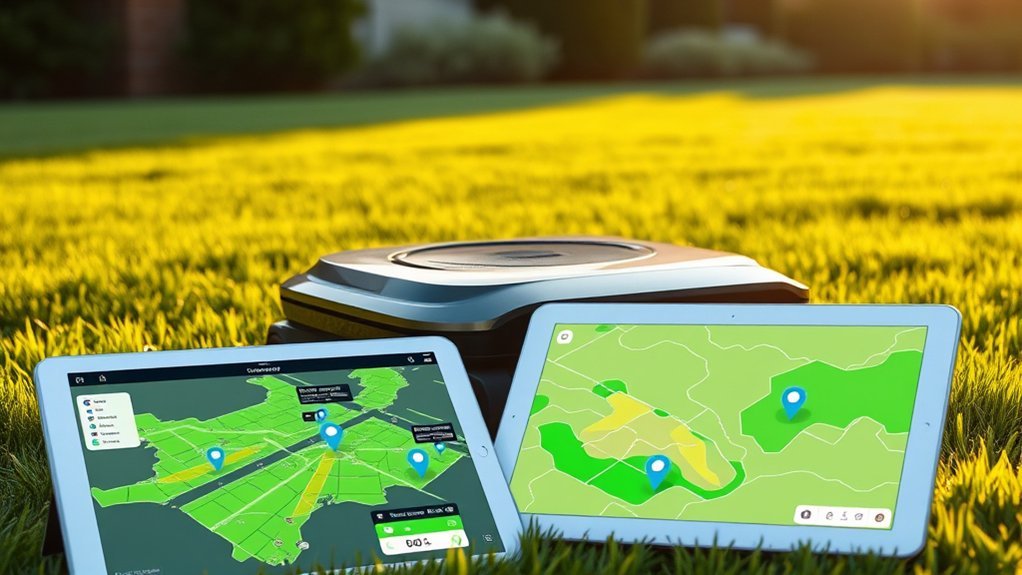
Implementing geofencing and GPS tracking is crucial for enhancing the security of your robotic mower against theft. These features enable remote monitoring and real-time location tracking, providing immediate alerts if the mower exits designated boundaries. To optimize security, consider these key steps:
- Configure geofencing boundaries precisely, ensuring they cover your property and trigger alerts upon breach.
- Integrate GPS tracking with user authentication protocols to verify authorized access during remote monitoring sessions.
- Regularly review activity logs and alerts to detect suspicious movements or unauthorized attempts.
These measures reduce theft risk by enabling prompt response actions and maintaining control over mower access, even remotely. Proper setup of geofencing and GPS tracking ensures your mower’s security through active monitoring and strict user authentication.
Keeping Your Mower’s Software and Firmware Up to Date
Keeping your mower’s software and firmware current is a vital step in maintaining its security and peak performance. Regular software updates ensure vulnerabilities are patched promptly, reducing potential entry points for cyber threats. Effective firmware management involves monitoring manufacturer releases and applying updates promptly, as outdated firmware can hinder security features or cause operational glitches. We recommend establishing a routine to check for updates via the manufacturer’s platform or app, ensuring the mower stays protected with the latest security patches and performance enhancements. Automated update options, when available, simplify this process, minimizing human error. Prioritizing timely software updates and firmware management not only enhances security but also optimizes mower functionality, extending its lifespan and reliability. Staying current is essential in safeguarding your robotic mower against evolving cyber threats.
Using Network Security Measures to Protect Connected Features
Since connected features expand the functionality of robotic mowers, they also introduce additional security risks if not properly protected. Implementing network security measures is essential to safeguard these systems.
To enhance protection, we recommend:
- Using strong wireless encryption protocols like WPA3 to prevent unauthorized access.
- Enabling multi-factor user authentication, ensuring only authorized users can control or modify settings.
- Regularly updating network passwords and firmware, reducing vulnerabilities associated with outdated security measures.
Practical Tips for Physical Security and Storage of Your Robotic Mower
To effectively protect your robotic mower from theft or vandalism, focusing on practical physical security measures is essential. Proper storage reduces exposure to weather and physical threats, while regular battery maintenance ensures peak performance. Secure storage locations, such as locked sheds or enclosures, deter unauthorized access. Weather protection involves shielding your mower from elements like rain or extreme sunlight, preventing damage and corrosion. Additionally, implementing physical locks on charging stations or storage areas adds an extra security layer.
| Security Measure | Implementation | Benefits |
|---|---|---|
| Lockable Storage | Use locked sheds or enclosures | Prevents theft and vandalism |
| Weather Protection | Install weatherproof covers or shelters | Extends mower lifespan |
| Battery Maintenance | Regularly check and service batteries | Maintains power efficiency |
| Physical Locks | Secure charging stations and areas | Deters unauthorized access |
| Location Selection | Place in well-lit, monitored areas | Reduces theft risk |
Frequently Asked Questions
How Can I Identify if My Robotic Mower Has Been Hacked?
We identify potential hacking through signs of unauthorized access or strange behavior, like unexpected movements, battery drain, or firmware vulnerabilities. Regular firmware updates and security checks help detect and prevent breaches, safeguarding your robotic mower effectively.
Are There Specific Security Features Recommended for Different Mower Brands?
We recommend brand-specific alerts and customizable security settings to enhance protection; these tailored features address each mower’s unique vulnerabilities, allowing us to monitor unauthorized access and adjust security parameters effectively for ideal, technical defense.
What Signs Indicate My Mower’s Security Has Been Compromised?
Like a detective uncovering clues, we watch for unusual remote monitoring activity or sudden battery security issues, which often signal tampering or hacking. These signs warn us to check for unauthorized access or system breaches immediately.
Can I Remotely Disable My Robotic Mower if Stolen?
Yes, you can remotely disable your robotic mower through integrated security features like remote shutdown, which aids in theft prevention. These systems utilize secure connectivity, allowing quick, effective immobilization to protect your equipment from unauthorized access.
How Do I Recover My Mower if It’s Been Stolen?
If your mower’s stolen, we recommend immediately disabling it remotely, then tracking with GPS. Regular mower maintenance and monitoring battery life can help prevent theft, ensuring swift recovery through technical data analysis and security features.
Conclusion
By implementing these security measures, we can transform our robotic mowers into nearly impenetrable fortresses, shielding our lawns from the most relentless thieves and cyber intruders. With robust passwords, precise geofencing, and vigilant software updates, we’re building an unbreakable digital and physical barrier. Think of it as arming your mower with an invincible armor, ensuring it remains safe and operational amidst a relentless battlefield of cyber threats and theft attempts—peace of mind, fully secured.